Aerovue is one app for the whole flying day. This is what is in it, screen by screen.
The map
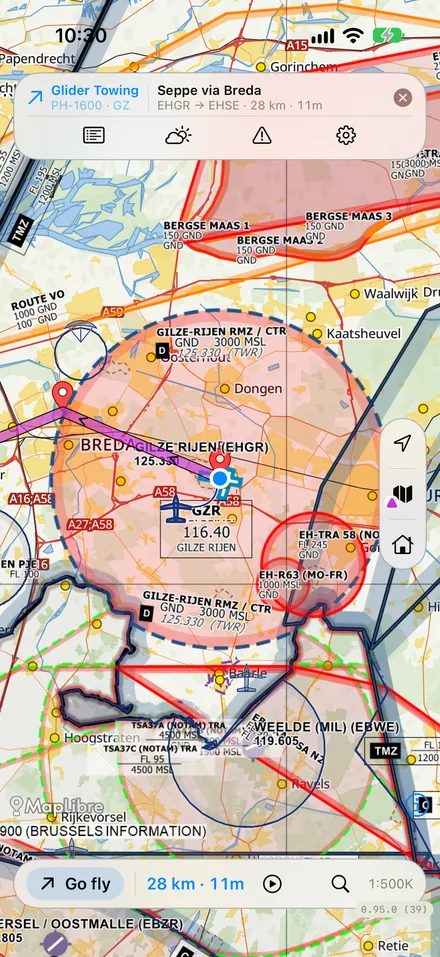
An aeronautical chart with everything a pilot looks for, on the phone and offline.
Aeronautical chart, airspace, NOTAMs and obstacles, with wind and satellite layers.
Live traffic from FLARM and ADS-B, and the rain radar on the map.
Tap any point for its airspace and elevation; tap an airfield for its frequencies, runways, weather and landing charts.
Search for airfields, towns and waypoints, and keep the charts of your region on the phone.
Glider radar
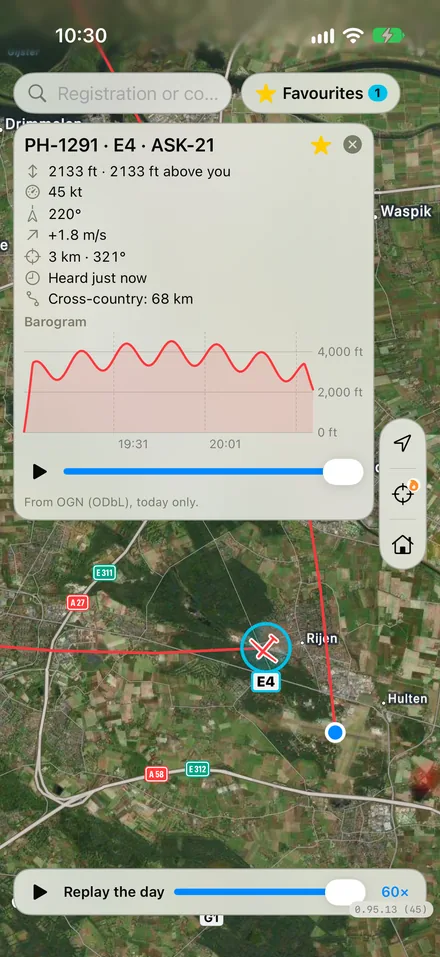
A live map of gliding anywhere in the Benelux and Germany, from the Open Glider Network.
Every glider with its call sign; tap one for its track since midnight, a barogram and its cross-country distance.
Replay the day from any moment, at 10, 60 or 300 times.
A lift layer shows where gliders found thermals and cloud streets, coloured by climb.
Star your favourite gliders to keep them in view with their tracks.
Competitions from SoaringSpot: the day's task and its zones, the entrants in their class's colour and where each one is on the task.
Flying
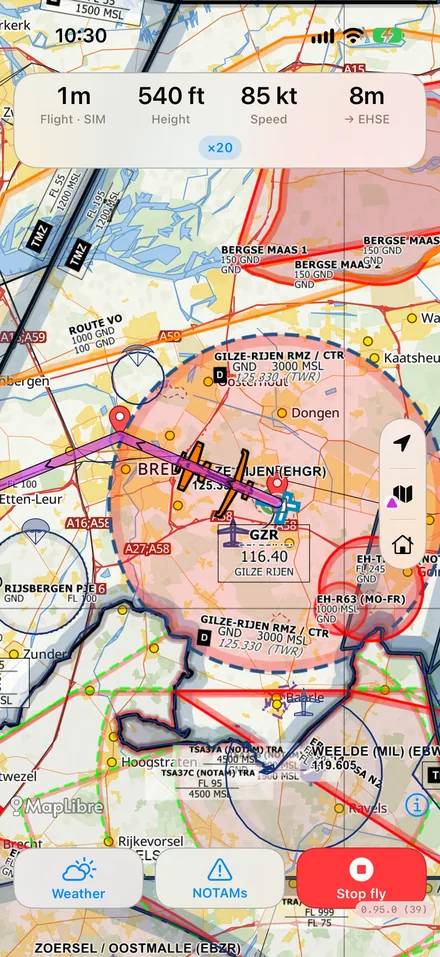
Set the flight up in a few taps, then put the phone away: Aerovue notices the takeoff and the landing.
Pick the aircraft, launch method, tow plane or hour meter; the rest is detected.
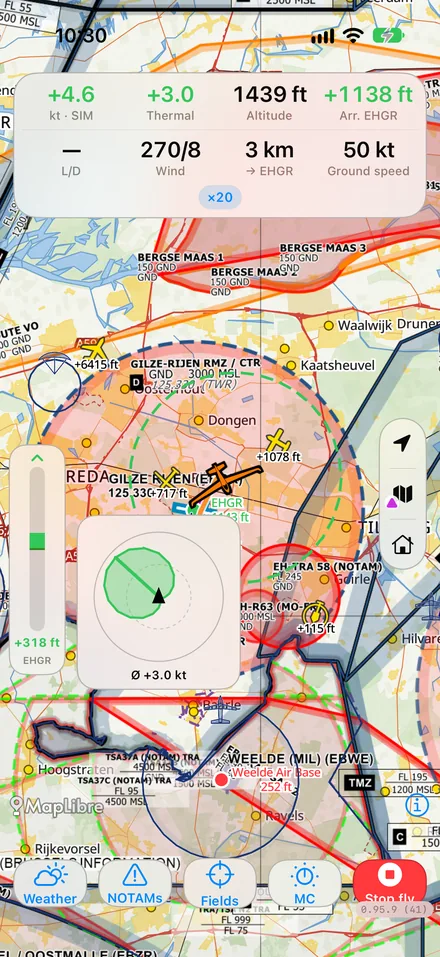
Ready, in flight, landed: the screen follows the flight, with warnings while you fly.
Times, launch method and track go straight into your logbook and your club's daily card.
A glance at your Apple Watch shows the flight as it goes.
The logbook
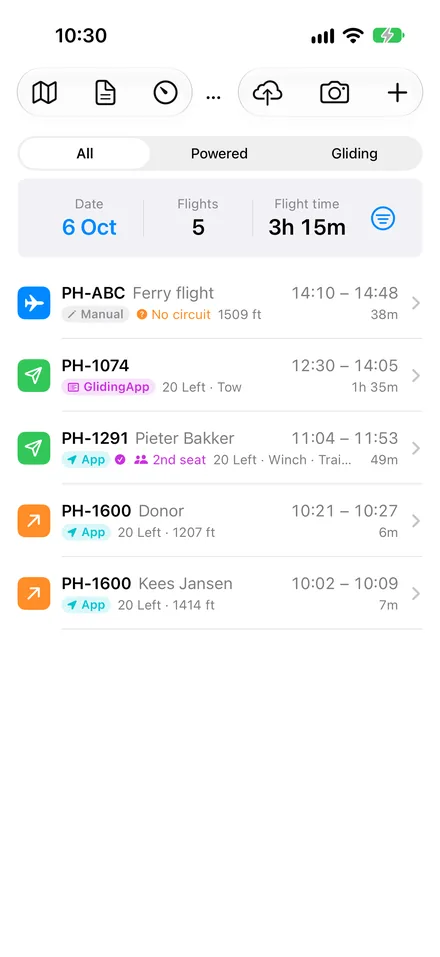
A logbook that keeps itself, and takes your paper years with it.
Flights are added as they are flown; add one by hand when needed.
Photograph the pages of a paper logbook and they are read in, column by column, and checked against the page totals.
Filters, periods and summaries: hours, launches and types per aircraft, per year or per club.
Each flight with its barogram and track; export flights or send them to the club's administration.
Keep your logbook online if you like: in step on all your phones, and in any browser at app.aerovue.app to search, sort, edit and replay your flights and plan routes.
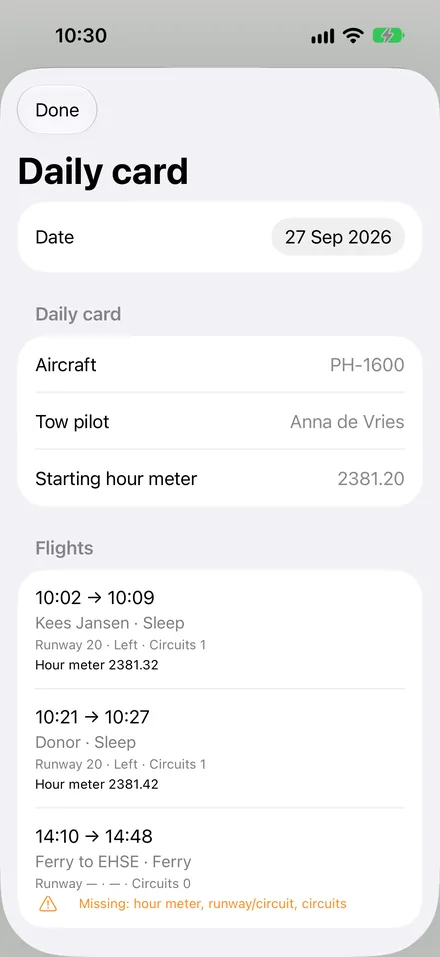
The daily card and the hour meter for the club's day.
Weather
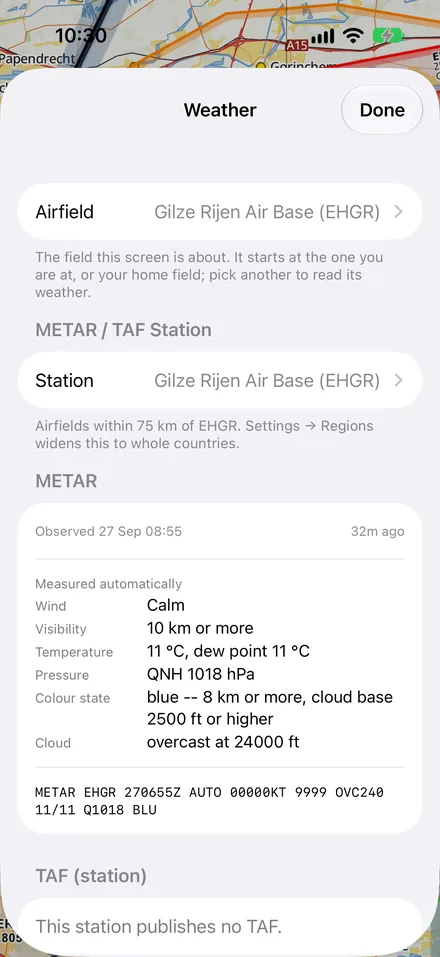
The weather at your field and along the route, from official sources.
METAR, TAF and the wind on each runway.
Rain radar and a forecast on the map.
KNMI forecasts for the Dutch fields.
Thermal forecasts for the whole map, and SkySight and TopMeteo one tap away.
Routes and flight plans
Plan the route, check it, and take the paperwork with you.
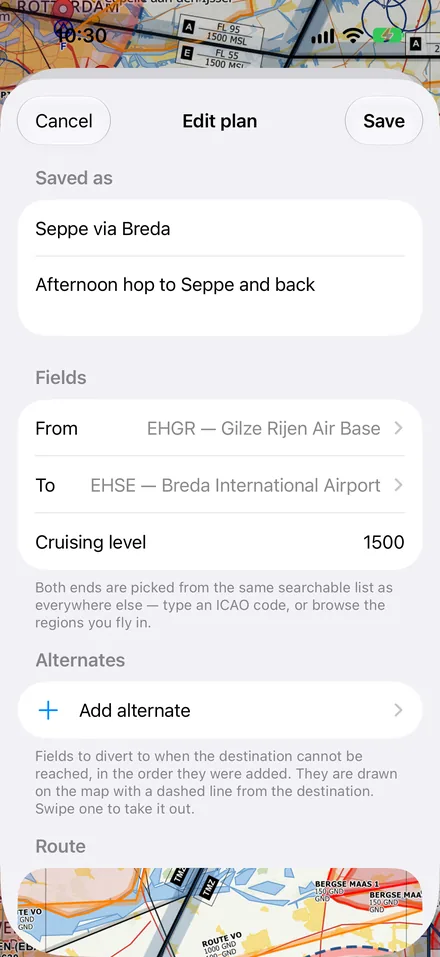
Draw a route on the map with a side view of terrain and airspace, and a check before it is saved.
Fly it as a simulation on the ground.
Routes in the cloud, on every device you sign in on.
A pilot log, weight and balance, a flight plan and alternates, on paper or on screen.
Glide computer
Final glide and fields within reach while you fly, in the style of a cockpit instrument.
The final glide bar, MacCready, water, bugs and safety height, with your glider's polar.
A thermal assistant that shows where the lift is in the turn.
Fields within reach, with the club's circuit and your own airfields.
Tasks for the day, and a link with WeGlide.
Your club
Aerovue works with GlidingApp, the administration many Dutch gliding clubs use.
Connect to your club, and your flights are in its books without typing.
The daily card on the phone: who flew what, with launch and times.
Flight administrators keep the club logbook from the app.
Ask for access to a club from the app; the club decides.
Yours, and safe
Your flights stay yours: no advertising, no analytics, no tracking.
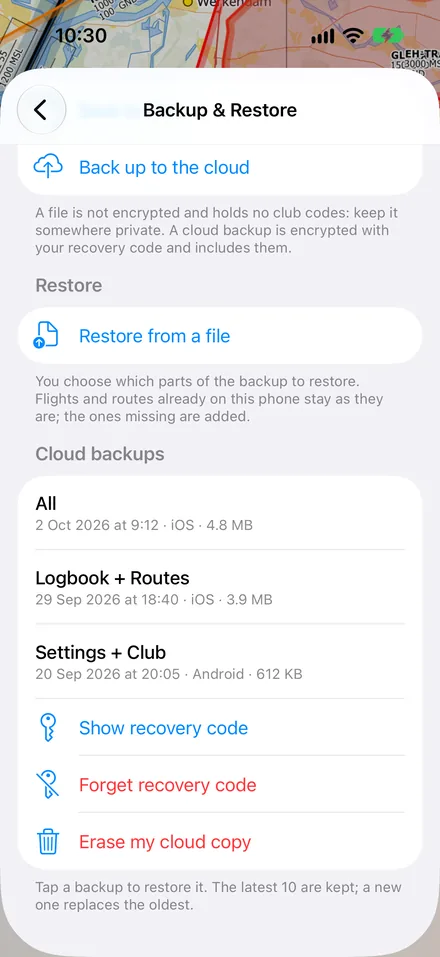
An encrypted backup in the cloud, with a key only you hold and a recovery code on paper.
Restore it on a new phone, iPhone or Android, with the same account.
Update prompts and a version history inside the app; the legal texts are a tap away.
The user guide in the app, and feedback straight to us.
User guide
The user guide walks through every screen of Aerovue, one guide per platform. It is the same guide the app carries under Settings → Help.